Tuesday, June 29, 2010

Final Exam Review

Reading questions: How does Grant sketch the basic structure of communication industries? Which media technologies are “deregulated?” Are these still governed by laws? Which communication industries are the most heavily regulated? What is the “long tail?”

Reading questions: What are some risks to personal privacy that are related to using the Internet? Which of these risks are introduced by the private sector? Which are introduced by the government or public sector? Which industries, specifically, gather personal information from Internet users, and use them for commercial purposes?

The ability of companies to collect information and sell that to other people and companies. Some of the risks deal with the need of people to be connected online and not taking safety precautions to protect their privacy. The government threat deals primarily with the PATRIOT Act and the CCTV’s used in the UK to search for people and monitor their whereabouts.

Reading questions: What differences are there between digital and analog TV? Which regions of the world still use analog TV transmissions? What is SDTV? HDTV? What are some key concerns of US communication regulators? What is “triple play?”

Digital TV is sent in data packets over the airwaves while analog is simple analog signals being sent over the airwaves. Mostly throughout the Third World such as South America, Africa, Eastern Europe, and Southeast Asia. SDTV is Standard Definition Television which is what was used widely until 2009. HDTV is High Definition Television which is now widely used throughout the developed world. HDTV is far more developed than SDTV, and shows more colors than the human eye can register. P.104 regulation. Some of the concerns of regulators are paying only for services that people really want or desire to pay for. Triple Pay are bundles of telephone service, cable service, and internet service all together at once.

Reading questions: How are online providers of streaming video and audio generating revenue from their online content? What is “user generated” content, and why is it an attractive business model? What are alternatives to commercially funded streaming media sites?

Through advertisements online. User generated content allows for anybody to make their own media and upload it. Business get free advertising for their products and also are able to use the information from users to do market research and make products more suited for their customers. Vimeo is an example of a non-commercially funded media streaming site.

Reading questions: Which firms and industries are competing for audiences with terrestrial radio broadcasters? Which technologies are they using? Do these services substitute for radio?

Internet Radio, Satellite Radio, and Cable Radio. All of these work in concert with each other to provide an outlet for more competition to be used against the terrestrial radio services. These services use the Internet, broadband, HD signals, and satellites. Yes, they can. There are pros and cons to each. While someone might enjoy using a radio in their car, using internet radio at a place of work is far more convenient.

Reading questions: With whom do on-demand video services compete? Which home video production standards currently compete with each other? Which technologies turn phones into cameras? What are some emerging uses and gratifications of camera phones? What are some intellectual property rights concerns associated with home video and photography? What are some privacy concerns associated with these technologies?

These services compete with each other, Blockbuster, Video Rental stores, HBO, any other service that provides movies to people to watch at home. DVD’s, Blueray, and 3-D technology. Digital Photography, specifically VGA image capturing. Camera Phones allow people to take pictures anywhere and upload them instantly. The rights of usage on the internet, concerns about privacy and copyright laws. Some people are worried if these things breach copyright laws because of the use of copyrighted material. Privacy concerns deal with the rights of people to not be tracked on the internet and through their lives because of the tracking that is attached to mobile phone photography and video making.

Reading questions: Which US government agencies designed the Internet? Who built the Internet? What is the main communication protocol underlying the Internet? What does it do? What is DNS, and what does it do? What is an IP address? What are the underlying software technologies for e-commerce? For mobile commerce?

ARPANET created the internet as part of an ARPA project designed to maintain communications in the event of a nuclear war. TCP/IP – Transfer Communications Protocol / Internet Protocol. It breaks the data into packets and then transmits it. The DNS is the Domain Name Server which assigns names to computers and allows them to talk to each other. The IP address is the Internet Protocol address of each particular computer which is then used to communicate with the Internet. Know the types of software researched etc.

Reading questions: Which companies have been responsible for building the “wired” or copper twisted pair telephone system? Which technologies underlie “wireless” telephony? How do data services travel on wired and wireless telephone systems? What is VOIP? To what extent does mobile computing rely on the public switched telephone network?

AT&T, and other subsidies. The Cell packet system; dealing with data packets. The information is divided into packets and then transmitted through either wires or by radio waves to central locations and then transmitted until the location is reached. VOIP – Voice Over Internet Protocol. It does not anymore, but with 1G Wireless networks it was heavily dependent.

Reading questions: What is net neutrality? Does it exist today on the Internet? What home networking platforms are predominant today in the US? What is a teleconferencing “codec?” Which companies participate in the market for teleconferencing software?

Net Neutrality is the idea of people being able to do whatever you want on the internet without ISP interference. It does exist in the US but not in China. It basically deals with the practice of free access to the internet. Ethernet and WiFi. Skype, Yahoo Messenger, and Google Voice.

Reading questions: When did video games begin using dedicated computer hardware? Who are the major players in video game hardware development? Software development? Why have some video games developed franchising relationships with film studios? What is an example of a MMORPG? How have fan cultures emerged around gaming world-wide?

Video games began using dedicated computer hardware between 199 9 and 2001 with the release of the Play Station 2 by Sony and the Xbox by Microsoft in 2001. Franchise relationships deal with making more money by tying in with movies just like books and soundtracks. WoW is an example of a MMORPG. Fan cultures have left a lasting mark on the gaming world by bringing in more information about game play directly to developers. Thus the industry has become very communal in some instances with games that are very beloved by the players. Examples of this include WoW and Halo.

Friday, June 25, 2010

Lab Exercise #16

Forum Examination

For this exercise I examined the forums of Gaymer which is a Gaming site dedicated to Homosexual Gamers in an effort to support each other. In this assignment we were directed to examine a few Forums dedicated to different niches of video gamers. I chose this site due to my inexperience with the topic and the fact that it was linked in the rubric.

Call to Arms

This first thread is dedicate to gay gamers in a cry for opposition to mainline politicians who are detrimental to the Homosexual Community. The primary thesis of this post and the discussion that ensues is that politicians do not seem to care about the rights of their homosexual constituents. This thread is dedicated as a cry for more action in defense of the rights of the homosexual people particularly in the United States. The members of the forum talk about their need to mobilize and organize a grassroots movement to support their claim. IN the end this thread seems to be a desperate call to arms by a tired and downtrodden member of a minority and deviant group.

Which is more difficult?, coming out as gay or as a gaymer?

The second thread is dedicated to the idea of coming out of the closet as a homosexual versus that as being a video gamer. In this thread the author begins his post by requesting for a comparison between coming out as a homosexual and coming out as a gamer. This in turn actually took a humorous turn. Some people thought it was a pretty ludicrous comparison and the author came back and explained his real meaning just as an attempt to get known on the forum and compare somethings that the members might have in common. And then it was generally diffused into something tongue-and-cheek.

Final Thoughts

Ultimately Gaming communities and websites are an interesting phenomenon. The deviance which they present are in part due to the fact that they are minority groups. Through in some other form of deviance such as homosexuality and you reach an entirely new level of small estranged groups of people. Through the internet these people have come together to band together for survival as a kind of survival mechanism.

It is my belief that these kind of communities have always existed. The introduction of the internet will just help foster their growth and existence over wide distances. These groups of deviants will continue to band together because of their use of technology.

Lab Exercise #15

Video Gaming Laboratory

Due to the success of our classes efforts in fulfilling the requirements for this class, we have successfully completed all of the laboratory exercises and requirements which were outlined in the Class syllabus. Because of this we have been given the opportunity to expand our outlook even more by working with some of the other different communications resources which are available through the Communications Department. Once again, I worked with Miss Taylor Miller and Miss Crystal Castaneda.

For the purpose of this exercise we were given the opportunity to visit and work in the Video Gaming Lab of the department. This was in and of itself an incredible opportunity. The Video Gaming Lab has several resources at its disposal, ranging from PC games, to console games, and mobile games available on iPod Touches. We worked together to get a grasp for these different resources.

PC Gaming

World of Warcraft

The first PC game that our group analyzed at any length was that of World of Warcraft (WoW). We were all encouraged to examine games that would push us outside of our comfort zones. Because of this Taylor volunteered to attempt to work through the gaming world of WoW. WoW is published by Blizzard Entertainment which is a subsidy of Activision Blizzard Inc. a leading software company in the United States. The game is an online game which requires an active network connection. WoW is what is referred to as a MMORPG, a Massively Multiplayer Online Role Playing Game. The game is at its core a PC game which works on a client server bases. Basically this means that the game needs to be connected to a server in order to function. Otherwise it won't work. The software installed on the individual PC's is basically thin client software which then registers and connects to the servers operated by Blizzard. The gameplay is fairly complex though at the same time intuitive. Three other titles published by Blizzard are Warcraft, Starcraft II, and Diablo II.

Cave Story

The second PC game that we looked at is Cave Story. Cave Story is an action adventure game which was developed by Daisuke Amaya as freeware. The game is fairly simple in and of itself. It works on a screen crossing paradigm which most gamers are familiar with as it is the most common form of gameplay incredibly prevalent in the 1980's and 1990's, the heyday of stand alone arcade game machines. The game is freeware and was developed for cross platform portability. The game is available on Microsoft Windows, Macintosh OS X, Linux Operating Systems, PSP, Xbox, Amiga Operating System, GP2X, and the Wii. The game is freely available and was first released in 2004. It exhibits many of the characteristics of the nostalgic gaming community. Mr. Amaya also developed a game entitled Ikachan which is similar in design and gameplay.

Console Gaming

Wii Sports

I chose to play the Wii Sports game because I had never played it before and because I had heard so many good things about it. At first I didn't even know how to work the game at all but my classmates helped me. It was definitely not hard to learn. Wii is a sports video game developed and produced by Nintendo as a launch title for the Wii Video Game console. Wii Sports is part of the Touch! Generations brand. The Wii Sports game offered different options of what specific game to play. It offered five sports including tennis, golf, bowling, boxing and baseball. Because of time constraints I was only able to play the tennis and bowling games, but it was definitely a fun experience. While watching other classmates play different games on different platforms, it was apparent that the Wii Sports was one of the most technologically advanced video games. I used the Wii remote which was used to perform the action used in real life sports, such as swinging the tennis racket and using the bowling technique. Wii Sports is classified as action/sports. Wii also offers games such as Wii Fit and Wii Dance that are also classified in the action/sports genre.


Mobile Gaming

Fieldrunners

Fieldrunners is a tower defense game which is a sub-genre of the Real Time Strategy gaming sphere. The game was published by Subatomic Studios for the iPhone OS in 2008. We played the game on an iPod Touch. The gameplay was fairly simple, the player places defense fortifications in an attempt to stop enemies from traversing the length of the screen. This continued until the game was complete after 10 levels. Subatomic Studios is a very small company has not yet published any other titles. The company itself is incredibly small and only employs six people.


Spore

This game allows the user to try to survive as a multicellular organism in a tide pool with the opportunity to upgrade its features with the collection of new DNA from other organisms. This game is operated on the iPod Touch by moving the device in the direction that you'd like the character on the screen to go. With other devices, such as mobile phones that lack a touchscreen, the character is moved by pressing keys in ordinal directions of the desired movement. The player advances after their organism eats a certain amount of new DNA from other creatures. Spore is Electronic Arts and is developed by Babaroga and Tricky Software.

I found this game to be really complicated, probably because I never play any sort of video game. I'm also not extremely familiar with the iPod Touch device, so moving the device in order to control the screen was difficult for me to get used to. The graphics of the game were outstanding however, and once I became comfortable with the screen movements the game became more enjoyable. Games like this that are available for mobile music devices or mobile phones can provide entertainment to the user no matter where they are located. The program ran smoothly and efficiently and loaded immediately. Another positive aspect of this game is that it does not require an internet connection in order to run. This really makes the game accessible in any location. Overall, this is an entertaining game that operates well in any location.


Final Thoughts

My final thoughts on this lab are mixed. I believe that it was a fun exercise that stretched us in our desires and designs. I think that it is important for people to explore other and different options. In this game we were able to examine a few different products and step out of our comfort zones. I think it was a good experience because it stretched us.

Personally I do not play a lot of video games simply because I do not have the time. Because of this I do not have a great deal of experience with them other than what I have picked up over the years with friends and family. Video games today cover a wide variety, from a simple game to play on your iPod while waiting for the bus, to games that people play in their basements, to fun filled communal games which are designed just to help have people have a good time with each other. Like them or not video games are here to stay and have become an incredibly huge industry. Industry competition always leaves the consumer as the winner, which means that the average user has nothing to lose, and everything to gain from the video gaming industry.

This lab was more enjoyable than any of the others because of the design and layout of the Video Game Lab. We were able to work with the other class group while at the same time working on our own project and our own report. It was a good work environment which helped us to all unwind towards the end of the fall semester.

Wednesday, June 23, 2010

Lab Exercise 14

Video Teleconferencing

The purpose of this assignment was to evaluate options the options available to consumers for teleconferencing using several different freely available options. The software we evaluated was Skype, Google Talk, and Yahoo Messenger. All three of these are freely available to consumers and two of them can be used in conjunction with other freely available online services. All three of these services can make and receive calls to land lines or normal phone numbers. In addition to this all three of the services have the abilities to engage in file sharing between the two user clients. While we were unable to work with the video teleconferencing, we worked together to evaluate the voice call capabilities.

Google Talk

Google Talk is an extension of Google Chat. The service works between only two users with Google accounts. After logging into the account on the client software it is possible to engage in voice calls. The quality of the calls is very good but there is no way to do conferencing calling. This is a drawback to this software.

Yahoo Messenger

Yahoo Messenger works on the same principles of Google Talk. Using a Yahoo account anyone can log into the client software and begin chatting or talking with any of their contacts. This is in fact one of Yahoo Messengers strengths. Yahoo can also make calls to normal telephones and receive calls from normal telephones. However the audio quality is not the best. This could be seen in particular during the conference call evaluation.

Skype

After already evaluating a few of the features of Skype in the previous lab we were already familiar with the software. The functions available on the desktop client are in fact much more robust. Conference calling is easy to set up and use. Calls can be made to normal telephones just like Yahoo Messenger. However the audio quality of Skype is unparalleled. The sound was crystal clear compared to the other services. The addition of file sharing and instant messaging makes Skype the overall best choice for a communications client.


Final Thoughts

After evaluating the various uses and function of the different types of software, I have come to the conclusion that Skype is the overall best piece of software and is the best choice for the consumer and the business user. The client is the cleanest and most efficient while the services are also the best. The separate nature from Yahoo and Google, combined with the ease of use and expanded functionality make Skype the clear industry leader and winner in any competition.

The competition between the three services will in fact support continual development and improvement. This in turn will ultimately leave the consumer as the winner since at this point the software and services are free, as far as VoIP is concerned.

Tuesday, June 22, 2010

Lab Exercise 13

Group Work on Skype

For this assignment I once again had the great privilege of working with Miss Taylor Miller and Miss Crystal Castaneda. our assignment was to examine the different aspects of using Skype on iPod touch devices. We once again used the assigned devices from the Communications Lab in order to install the application and review the different capabilities and functions of the application.

There are a few interesting things to note about the software in question. Skype is communications software. It is employed as a communications suite which puts several tools at the fingertips of the end user. In its mobile form Skype will allow you to make and receive voice calls, voice mail, text messages, and instant messaging. I assume that some video might also be employed but only as a receiving unit as the iPod touch lacks the hardware to make video calls. In its base form the iPod can also not be used to make calls. This is because of the lack of a microphone in the device. Desktop and Laptop PCs with audio and video equipment are capable of using all the capabilities of the mobile Skype in addition to video teleconferencing and file sharing.

A few notes to make are that the iPod can make and receive voice calls too and from other Skype users and normal telephones. Furthermore, the Skype client allows people to use text messaging and IM. Finally the Skpye software allows from Skype to Skype calls. Calls involved include all of the functions a normal call would have such as speaker phone, muting a call, placing people on hold, the dialpad, etc. These are all of the basic functions of the software.

As a group discussion we also talked about some of the various advantages and disadvantages of using the software. Skype didn't work because of the lack of the hardware, this makes it pretty useless in my mind. On the PC it makes perfect sense. The hardware capabilities make it very lucrative to use. While the software is free and easy to use it makes no sense on the iPod because of no microphone, this in fact made it frustrating to use. We all agreed that we would use Skype again, but only a PC where all of the functionality can be employed. Over a cell phone the software makes sense because it is free, makes free Skype to Skype calls, and charges very competitive rates about calls between other services such as real phones.

Overall using Skype was a good learning experience. I believe there are improvements that could be made, and that at this point it is impractical for use on an iPod. However, VoIP services and software have definitely made their mark on the world of telephony.

Friday, June 18, 2010

Lab Exercise 12

Business Analytics Proposal

Introduction
The purpose of this assignment is to prepare a business proposal which will outline my recommendation for a brick-and-mortar flower shop to expand into an online store. This will be based primarily upon my recommendation for the flower shop. The flower shop in question will be based in College Station and will cater to all kinds of needs in the local area such as weddings, parties, funerals, churches and just about anything else that you can think of concerning flowers. I will recommend software they can use to expand into the online market.

Linux Software

The first issue that I would like to address is the usage of Linux based systems. As we were guided in our classroom, it is important to note the Linux based systems. The Linux based systems are Zen Cart, Magento, osCommerce, VirtueMart, PrestaShop, and osCMax. All of these systems are used in the creation of online stores and the management of those systems. Some of these systems are of course more extensive than others, while at the same time some are more limited. The reason why these are all significant enough to mention is because of the fact that they are all free and based on Linux. Linux of course is an open source computer operating system which makes it freely available. Based on this information, it makes sense that the software would in that case also be free. These are in fact some of the six best free Linux e-commerce software suites. One thing that I would note about them however is that they are all based on Linux. While this makes things inexpensive it also requires a high level of technical knowledge which I believe makes these software suites unsuitable for the flower shop. While free, it would be necessary for some kind of technical expertise to be employed.

Software Suites

In lieu of these Linux software suites there are a few alternatives that I would recommend. ClickTale looks like a superb piece of software. This suite comes in several different iterations and is in fact available for free in a Limited Plan. This plan records 400 pageviews a month and tracks 1 domain with a 30 day history. The page reports and hosted services are part of the included service. These tools along with the no entry cost lead me to recommend this as a first time user tool to set up shop online.

Another service that would appear to be very desirable are the Google Analytics suite. Google offers Advertising trend reports, e-commerce reporting, multimedia tracking, cross channel tracking, and customized reporting. This customized reporting even includes data visualization. However there are a few concerns about this service from Google. First of all there is limited pricing information available about the service. Because of this it would be difficult to make an informed and balanced decision on what should and should not be considered. Secondly, and maybe more importantly is the fact that it is a Google service. While Google as a company has made strides to achieve business transparency and trust there are some who hold to conspiracy theories and privacy concerns. Because of these factors it might be difficult to achieve a good beginning in the online market.

The last product to view is in fact the one that I would recommend if price was no object. Webtrends offers a full feature suite of hourly recorded views. Visual data representation, summarized reporting, page view logs, site log analysis, web hosted browser based interface, accessibility flexibility, and mobile application usage. These features make webtrends appeal to the high end user with a large online business. However the simplicity, robustness, and flexibility of the system lead me to believe that it would make a good program for the flower shop scenario.

Summary

In summary I would point out that I believe that webtrends offers the best choice for overall usage. However because of the limited resources available I believe that free solution would work best initially. While there are many Linux based solutions the high level of technological knowledge required leads me to suggest ClickTale as a first time user tool. The ease of use, limited services, and free cost make it an excellent piece of software.

Wednesday, June 16, 2010

Lab Exercise 11

Creative Commons

The purpose of this lab is to examine the different types of media which are available underneath the Creative Commons licensing. To explore this we will look for images regarding home video technology and also examine a documentary about the history of photography.

1. VHS

File:VHS casette.JPG

This photo is was published by Tumi-1983 on the Wikimedia Commons underneath the following license:
Permission is granted to copy, distribute and/or modify this document under the terms of the GNU Free Documentation License, Version 1.2 or any later version published by the Free Software Foundation; with no Invariant Sections, no Front-Cover Texts, and no Back-Cover Texts. A copy of the license is included in the section entitled "GNU Free Documentation License".

2. VCR

File:VCR-N1500.jpg

This photo was published by Liftarn on the Wikimedia Commons underneath the following license:
Permission is granted to copy, distribute and/or modify this document under the terms of the GNU Free Documentation License, Version 1.2 or any later version published by the Free Software Foundation; with no Invariant Sections, no Front-Cover Texts, and no Back-Cover Texts. A copy of the license is included in the section entitled "GNU Free Documentation License".

3. DVD

File:DVD.jpg

This photo was published by Marcin Sochacki on the Wikimedia Commons underneath the following license:
Permission is granted to copy, distribute and/or modify this document under the terms of the GNU Free Documentation License, Version 1.2 or any later version published by the Free Software Foundation; with no Invariant Sections, no Front-Cover Texts, and no Back-Cover Texts. A copy of the license is included in the section entitled "GNU Free Documentation License".

4. TV


File:Sony Television Set.JPG

This photo was published by Benutzer:Stilfehler on the Wikimedia Commons underneath the following license:
I, the copyright holder of this work, hereby release it into the public domain. This applies worldwide.

In case this is not legally possible:
I grant anyone the right to use this work for any purpose, without any conditions, unless such conditions are required by law.


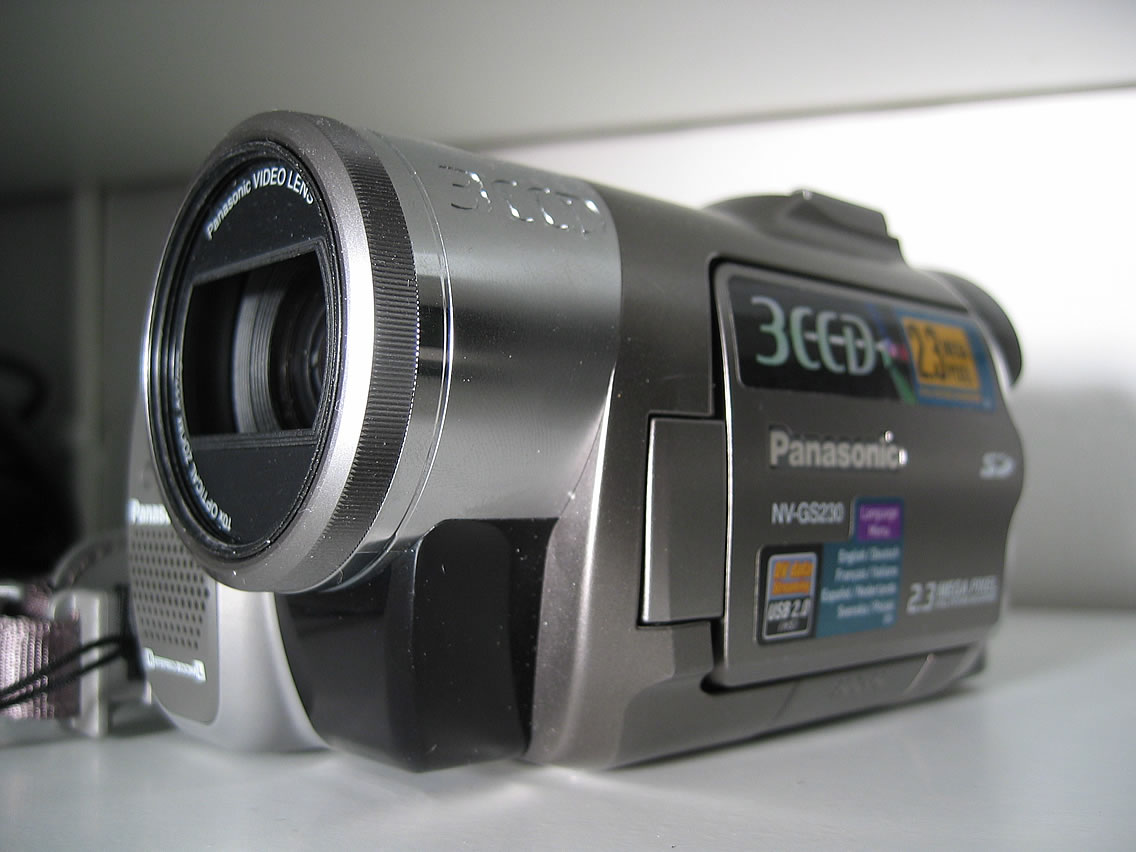
5. Camcorder


File:Panasonic camcorder.jpg

This photo was published by ChrisHH on the Wikimedia Commons under the following license: This file is licensed under the Creative Commons Attribution-Share Alike 3.0 Unported license.

Photography Documentary

This short film was produced in 1946 as a look at careers which were available in the field of photography and cinematography. It is my hope that this will give a glimpse of what work was like in regards to photography in the mid-twentieth century.


Final Thoughts

This Lab Exercise dealt with the use of the Creative Commons. The Creative commons is something that I was not incredibly familiar with before I began to complete and work on this assignment. While I was a little confused about the initial requirements or expectations of the assignment I was eventually able to determine the necessary course of action.

This assignment opened to me the ideas of Creative Commons and sharing media with people across the world using the Internet. I am impressed by the ideas behind the Creative Commons where normal people can share their ideas and creations with other people simply because they want to. To me this strikes a cord because of the similarity with the open source software movement. Here there is a very much similar philosophy of open sharing of ideas.

Ultimately I believe that the Creative Commons is an excellent venue for the creation of open and free media. This can be shared with the world. At the same time I believe that copyright laws are also a good thing as they protect the rights of artists and the source of their income. Together I believe that these can both coexist as the world becomes smaller and more connected with each other.

Tuesday, June 15, 2010

Lab Exercise 10

Free Music on iPod Touch

For this assignment I worked with Taylor Miller and Crystal Castaneda. We were each provided an iPod Touch by the RCLab and were asked to identify at least three sources for free, legal music available for download to an iPod Touch and at least two sources of free music streaming. The three App sources that provide free music streaming are Pandora, Last.fm, and Caribbean Nitro. We were also asked to find six sites that provided free and legal music that could be downloaded to the iPod. These sites are listed below:

1. Someone Still Loves You, Boris Yeltsin: http://music.aol.com/
3. Love Album, Angels and Airwaves: http://modlife.com/angelsandairwaves/love
4. The Journal, Stacy Bearden: http://www.usa-links.com/thejournal/
5. Water Get No Emeny, Sahr Ngaujah: http://worldmusic.nationalgeographic.com/
6. Finn bikkjen!, Casiokids: http://www.mp3.com/free-music/

One piece of music that is not new and that is in the public domain:
http://www.mp3.com/free-music/
Band "Shout Out Louds"
Song "Walls"

One piece of new music:
http://www.mp3.com/free-music/
Band: Lamb of God
Song "Hour Glass

A ringtone found on a free and legal website.
Usher, "Throwback"

Final Thoughts

This assignment was one that for me was a little difficult in the beginning. Most of this was due to me misinterpreting the information in the syllabus and the requirements. However, my teammates did help to set me straight on what was outlined in the syallbus. After this it was fairly easy for us to download the material and then categorize it as we went. While this project was a little more complicated for me personally I believe that it was a productive assignment in teaching us about the internet

Monday, June 14, 2010

Lab Exercise 9

Internet Radio

Pandora


Lady Gaga Radio
1. Lady Gaga-"Lovegame"
2. Taio Cruz (Ft. Ludacris)- "Break Your Heart"
3. Britney Spears- "Toxic"
4. Rihanna- "Disturbia"
5. Lady Gaga- "Boys Boys Boys"

Paramore Radio
1. Paramore- "Emergency"
2. Fireflight- "Core of My Addiction"
3. Flyleaf- "Missing"
4. The Red Jumpsuit Apparatus- "Face Down"
5. Paramore- "Fences" (Live)

Paul Potts Radio
1. Josh Groban- "Per Te"
2. Glacomo Puccini- "Turandot Opera"
3. Howard Gregson-Williams- "Arrival At Asian's How"
4. Frencesco Sartori- "Time to Say Goodbye"
5. Luciano Pavarotti- "Forever"

House of Pain Radio
1. House of Pain- "Top O' The Morning To Ya"
2. Cypress Hill- "What Go Around Come Around, Kid"
3. Beastie Boys- "Girls"
4. Onyx- "Slam"
5. House of Pain- "Shamrocks And Shenanigans"

Keith Urban Radio
1. Keith Urban- "Making Memories of Us"
2. Tim McGraw- "Something Like That"
3. Kenny Chesney- "Don't Blink"
4. Rascal Flatts- "These Days"
5. Keith Urban- "Your Everything"

Evanescence Radio
1. Evanescence- "Imaginary"
2. Linkin Park- "Leave Out All the Rest"
3. Three Days Grace- "I Hate Everything About You"
4. Poumb- "In My Arms"
5. Evanescence- "Sweet Sacrifice"


Last.FM

Lady Gaga (Pop Genre)
  1. Lady Gaga-"Money Honey"
  2. Rihanna-"Rude Boy"
  3. Kesha-"Take it Off"
  4. Christina Aguilera-"Keeps Gettin Better"
  5. Eva Simons-"Silly Boy"
Paramore (Rock Genre)
  1. Paramore-"Whoa"
  2. Automatic Loveletter-"Shut Your Mouth"
  3. Hey Monday-"Set Off"
  4. Boys Like Girls-"Broken Man"
  5. Avril Lavigne-"When You're Gone"
Evanescence (Alternative Genre)
  1. Evanescense-"Imaginary"
  2. Linkin Park-"Leave Out All the Rest"
  3. Three Days Grace-"I Hate Everything About You"
  4. Plumb-"In My Arms"
  5. Evanescense-"Sweet Sacrifice"
Paul Potts (Pop Opera Genre)
  1. Paul Potts-"Nella Fantasia"
  2. Luciano Pavarotti-"O Sole Mio"
  3. Andrea Bocelli-"Silent Night"
  4. II Divo-"O Holy Night"
  5. Jose Carreras-"Pel Tev Amor"
House of Pain (Hip Hop Genre)
  1. Funkdoobiest-"Rock On"
  2. Cypress Hill-"Lick a Shot"
  3. Das EFX-"Jussummen"
  4. Lordz of Brooklyn-"American Made"
  5. The Psycho Realm-"The Big Payback"
Keith Urban (Country Genre)
  1. Keith Urban-"Making Memories of Us"
  2. Jason Aldean-"Big Green Tractor"
  3. Kenny Chesney-"I Go Back"
  4. Dierks Bentley-"How Am I Doing"
  5. Tim Mcgraw-"Southern Voice"


Summary

For this assignment I once again had the pleasure and privilege to work with Miss Crystal Castaneda and Miss Taylor Miller. We worked together to compile the list of artists and then collect the data from the two websites: Pandora and Last.FM.

The list of artists that we selected are restated below along with their specific genres:

  1. Lady Gaga - Pop
  2. Paramore - Rock
  3. Evanesence - Alternative
  4. Paul Potts - Pop Opera
  5. Houst of Pain - Hip Hop
  6. Kieth Urban - Country
The first three artists on this list are from the United States and female. The last three are male and are international artists.

Overall the experience of using the two different websites was fairly straightforward and simple. We simply entered the name into the websites search box and then listed the results that it produced associated with that artist. The we would listen to part of the song and then skip to the next one. This eventually became a problem with Pandora because it restricts the number of times that you can skip tracks. Pandora claims this is a result of licensing issues but Last.FM didn't have a limitation at all as far as we could tell.

Another interesting note is that both websites did a good job of keeping in with the genre of the requested artist. Pandora would also deliver song lyrics along with the song. Last.FM delivered photos, videos, and information about the artist.

Using these two services was an interesting comparison. None of us had actually used Last.FM at any length before and we were fairly impressed with the offerings of that website. Pandora while well known can be frustrating because of the limit on the number of times that one can skip tracks. Overall, we would agree that there is a very healthy competition between these two companies. This will drive for further innovation and an increase in song libraries which will in turn render the end user or consumer as the overall winner.

Friday, June 11, 2010

Lab Exercise 6


Television Survey:

The results of our TV survey were rather interesting. As can be seen in our table the majority of people do watch TV, but there are some who do not. I find it interesting to not the ways in which people watch TV. Most ways seem to be broadcast, cable, and Internet. All of them stem from convenience, since broadcast is free, internet gives lots of options, and cable is included in a lot of people's rents. The survey was certainly an educational experience.

TV Poll Results


Here are the TV Poll Results. If you have any questions, comments, critiques, or concerns just leave a comment and I'll do my best to fix it.

Thursday, June 10, 2010

Lab Exercise 8

Podcasting
The purpose of this laboratory exercise is to identify 10 podcasts about media and techonology news. This laboratory is another group project and I worked with Miss Crystal Castaneda and Miss Taylor Miller. The resources that we used were iTunes and Podcast.com.

  1. Engadget - The Engadget podcast is published by the Engadget website. The podcast is published weekly and is a one stop shop for computer and technology enthusiasts. Commercial sponsors could be AOL since it is the parent company of the blog. The podcast is distributed in the ACC format and the subscription numbers are not currently available.
  2. Digital Media Tips and Tricks - This blog is published by Ben Williams through his website. The podcast deals mainly with new technology developments. This is generally when the podcast is published as well. The podcast is intended for those who are interested in new media technologies and is sponsored by Coded Signal Inc. The subscription information is not available.
  3. Digital Media Insider - This podcast is published by the Digital Media website and is sponsored by O'Reilly Media Inc. The podcast is intended for people proficient with technology who are interested in finding media tips and tricks. The podcast does not publish the subscription information but is available as an MP3.
  4. NPR's On the Media - NPR's podcast is published by NPR weekly and is a guide to how the media is made and works in the industry. The main audience are regular NPR listeners who are also tech savvy. This allows the NPR audience to take the NPR programming with them wherever they go. They also examine new technologies and weigh the political implications of legislation and developments. The podcast is distributed as an MP3 and subscription information is not available. NPR is also not commercially sponsored.
  5. The Economist - This is an audio companion to The Economist and publishes posts several times a week which allows for supplementation of the print edition and website. This is geared mainly towards the readers of the economist and gives offerings on news, media, politics, technology, and science. I believe that the Economist is supported by its own publishing resources. The format of the publication is MP3. Subscription information is not available.
  6. PC Mag - The PC Mag podcast is published by the Ziff Davis Publishing Holdings Inc. The podcast is sponsored by Brother.com and is distributed multiple times a week. It is meant to supplement the print publications of PC Mag. While the number of subscribers was not available, the intended audience is people who are interested in solutions to everyday technology problems and those interested in technology news and developments.
  7. Science and Technology Coverage - Science and Technology Coverage is published on the PBS website. It is produced by McNeil Productions and discusses developments and news in technology and science. While the number of subscribers was not published the podcast is sponsored by PBS, the Knight Foundation, Intel, the Bank of America, Chevron and CPB. This podcast is distributed as an MP3.
  8. Cranky Geeks - This is a weekly podcast where a group of expert panelists get together and discuss the most controversial topics in technology news, issues, and developments. The podcast is distributed as an MP3 and once again the subscription information is not available. This podcast is very much geared towards technology enthusiasts who enjoy a quirky and humorous look at current technology trends and news. Cranky Geeks is supported by GoDaddy.com which is a web hosting business.
  9. IT Conversations - IT Conversations is published by the IT Conversations website. The Podcast is published by the Conversations Network Corporation. The intended audience are people interested in learning about new information technologies and the effects it has on our society. While the subscription number is not published the podcast is distributed as an MP3.
  10. HT Guys - This is published by Jason Cypret of HT Guys as a video podcast every Tuesday and Friday. It is intended for those who are interested in the advancement of audio/visual technology, specifically home theater systems and HDTV. The subscription information is not published but it is distributed as a video podcast. The sponsors are generally the listeners of the podcast, this creates a very communal type market environment.
Final Thoughts:
I would like to take this opportunity to just talk about the conduct and result of the laboratory exercise. I believe that this was a very interesting assignment. Because of the group nature of the project we each looked for technology blogs which interested us. Then we recorded the data and shared it with each other. At this point we were able to each compose our own individual reports and summaries.
The nature of this assignment was in fact interesting to me because I generally do not listen to podcasts frequently at all. Thus being required to research podcasts about media and technology news was at the very least an educational, and in this case enjoyable, experience.

Wednesday, June 9, 2010

Lab Exercise 7

Streaming Video Players
The Purpose of this Exercise is to evaluate several different video streaming websites on the Internet. The Evaluation will include YouTube, Hulu, and Veoh. To begin I will show a Trailer for The Karate Kid on each website, then I will also show a few other videos.

YouTube
YouTube is a very popular video sharing site which was first introduced by sharing videos with other end users. The site now hosts millions of videos with new content being uploaded every hour all over the world.

The Karate Kid - Trailer for the new 2010 movie


Net Neutrality - A video offering an opinion on what the principles of video neutrality is and the ways in which it will affect internet culture.


Hulu
Hulu is a popular streaming site which showcases several popular TV shows. This is a way for networks to stream their content over the web to more consumers. Popular among college students and other young people who don't have a normal TV or others who do not like to succumb to TV schedules but still haven't invested in digital recording equipment, Hulu has experienced an explosion in popularity.

The Karate Kid - Same trailer for the 2010 movie


Net Neutrality - A viewpoint on Net Neutrality from the popular Attack of the Show on G4 Tech TV


Veoh
Veoh is a video streaming website which hosts lots of full length broadcast television shows for view at anytime on it's website.

The Karate Kid - Same trailer for the 2010 movie


Watch Karate Kid Trailer in Entertainment | View More Free Videos Online at Veoh.com

Other Video - For the last video we were required to post a video about someone different from ourselves. So I decided to post this video about the Mormon Family. I am not Mormon but have some Mormon friends and I thought this would be the best way to examine diversity.


Watch Mormon Church and Family in News | View More Free Videos Online at Veoh.com

Summary
My thoughts on the three video streaming websites are somewhat mixed. YouTube has always been a favorite of mine even if the quality of the videos is not the best in the world. Quality is increasing which is a good thing. However the number of ads on YouTube has also gone up.

Hulu, has always been commercial. Their selection is not as wide as I would like but I still enjoying using the service. The ads there are a minimal distraction at least and the quality of the videos is very high.

Veoh, I had not used before. It looks like they have lots of videos. But the site is also very confusing and congested. There is no simple indexing system. The website also caused my browser to freeze up on multiple occasions. This is a problem and I probably won't use the site again because of that.

In the end I believe that it is good that there is a healthy level of competition amongst bide streaming and hosting sites. This leads to advancements in technology and also better choices and options to the consumer.

However, the consumer should also still be wary. All three of these video sites rely on one companies technology. That company is Adobe. And that technology is Flash software which runs all three of the sites.


Addendum I: Additional Web Sites
As an addendum to the the three previously listed websites, I have also enclosed clips from the other sites from the revised grading rubric on this assignment.

Joost
A video site which uses P2PTV to generate and distribute content. Currently in a public Beta

<a href="http://www.joost.com/3c61ugtx">The Karate Kid (Trailer)</a>

Anivide
Anivide doesn't actually host videos, instead it links to sites that do like YouTube

Fancast
Another video streaming site which hosts full length TV shows and movies. Similar to Hulu in business model.


Final Thoughts:
These are just a few more additions to the previously mentioned web streaming sites. Quality varies with both Joost and Fancast being on par with Hulu which is better than YouTube. And once again all of these use Adobe Flash to power their video playback engines.


Addendum II: Web Browser Analysis

All three web browsers seemed to work about the same. Internet Explorer 8 felt a little bit cumbersome to use merely because I don't use it often. It's not my browser of choice. But it was able to playback all of the media with no problems.

Google Chrome is my browser of choice and it worked well. I like the streamlined usage of the browser in its current state. Chrome had some problems with Joost however. Chrome didn't want to access Joost because of some Adobe Flash security settings.

Mozilla Firefox is the old mainstay of browsers and easily my number two choice. While not as streamlined as Google Chrome, Firefox is still elegant and efficient. It also worked well with all of the sites except Veoh. Veoh caused the browser to freeze up a few times.

All three of these modern browsers work in a very similar manner. I believe that this competition between browsers is a good thing because it gives the consumers choices and fosters innovation in web browsing technologies.

Tuesday, June 8, 2010

Lab Exercise 6 Questions

Potential Questions:

  1. Do you watch TV?
  2. When do you watch TV?
  3. Where do you watch TV?
  4. Why do you watch TV?
  5. How do you watch TV? What medium do you use?
  6. Why do you use that particular medium?
Those are the questions that I have. Just leave a comment either approving them, disapproving them, suggesting something better, editing, or something. Other than that I think we're good to go.

Lab Exercise 5 Group Summary


In summary, the mobile TV providers did not hold up compared to the Dish and Cable MSOs. In terms of availability of the shows we were searching for, only two options even offered all of them, Cable and DirecTV.In terms of price, regardless of provider, mobile TV will cost you around $10-$15 and TV at home should cost you around $25-$30. Cable took the cake in terms of most shows available for the best price. Even factoring in more information than what our search asked for, Cable offered a vast array of channels for just it's basic package. The class unanimously decided that Cable was the best bet for a TV provider when it came to price and selection.

Summary Courtesy of Mr. Russell Laningham

Monday, June 7, 2010

Lab Exercise 5

Multichannel Mania

For this group work I was tasked with finding the listings and prices for a Cable MSO. I chose Comcast Cable and based in the downtown area of Chicago using the same ZIP code as the Chicago City Hall (60602). I then took the list that we compiled in class and used the Fancast website to determine the channel of broadcast and the amount of times it was broadcast a day. This is seen summarized below:

  1. The Office - TBS - 3 times a day
  2. The Colbert Report - Commedy Central - 3 times a day
  3. Glee - Fox - 1 time a day
  4. Law & Order - TNT - 3 times a day
  5. Family Guy - TBS - 3 times a day
  6. Casa Cerrado - Telemundo - 1 time a day
These Television programs were selected by the class and we will eventually have a discussion about our findings and compare and contrast the various service providers we were all tasked with. Incidentally the cost of the Basic Cable package from Comcast is $25.49 a month and does include all of the channels and shows mentioned.

I think that this was a pretty cool assignment especially because we had to look at something outside of Texas and our comfort zone. I am looking forward to the group discussions.

Friday, June 4, 2010

Lab Exercise 4

Personal Privacy Audit
Those Who Sacrifice Liberty For Security Deserve Neither.
- Benjamin Franklin

Summary of the Privacy Policies of Online Services
  1. TAMU Howdy Portal - The Howdy Portal is an integral part of student life at Texas A&M University. The Portal is used as the primary online means for interaction with all aspects of a students business with the university. Finances, grades, class registration, housing, and meals are just a few of the things managed through the use of this Portal. The privacy Policy of the University is to not collect information or solicit that information by any means with anyone at all. However, information is gathered to be internally analyzed to provide a better end user experience. This information is never released unless legally required by investigations or the Texas Public Information Act. TAMU reserves the right to use and access any and all of the information which is accessed on the site.
  2. TAMU Library System - The TAMU Library website is a service to facilitate better access to the TAMU Library resources. Information is gathered through service logs for the purpose of internal optimization and diagnostics. This information will not be released unless legally required too. The Library does not sell information to third parties. The Library claims a right to the search logs.
  3. Frost Bank - The Frost Bank website is committed to the same core values of the Frost Bank. Frost Bank is committed to maintaining the highest standards of confidentiality regarding the information of their current and former customers. The website does employ cookies as part of the secure log in process and uses a SSL connection to ensure the security of the system. Information is not sold to third parties and only released when legally required. Frost claims the right to the log in information which a customer uses to access the information. This data is used to secure personal information on the website.
  4. Facebook - Facebook is the premier social networking website in existence today. The site has millions and millions of users and has recently come under fire from experts in computer security and mainstream media in the callous manner in which they share private information. While Facebook claims that they only share information which the user allows, the rapidly changing policies and options do lend themselves to confusion which can leave the user sharing more information than they actually intended. However, there are stil many options which allow the user to control to a certain extent the amount of information which they can share with people. Facebook claims ownership of anything hosted on its servers until such a time that it might be deleted.
  5. iTunes - Apple's iTunes is the premier online music store in the world. As such iTunes uses Apple's Customer Privacy Policy. This policy plainly states that information is gathered for internal use for an optimal customer experience and superior customer service. This policy also talks about how information is kept private and secure except for a few instances. Information may be shared with vendors or partners such as mobile phone carriers. Information will also be shared when legally required or when a matter of national defense or criminal investigation. Apple is dedicated to the security of its customers information. Apple claims an ownership to the Apple Account and the information associated with that.
  6. Google Blogger - Blogger is a service and a company that is provided by Google. As such, Blogger adheres to the the privacy policy of Google. Google's privacy policy states that information is gathered in order to provide the service which they are in business to provide. This information is used in any place or manner in which a Google service or account might be used. Information is shared with third parties only under the following conditions: if Google has the customer's consent. If Google is providing the information to a subsidy, affiliated company, or other trusted business or person processing the information on Google's behalf. Finally, Google will release information if legally required. Personal Information is stringently protected. Google claims ownership of certain aspects of the Google Account and the associated information.
Summary of the Privacy Settings I use for each of these Online Services
  1. howdy.tamu.edu - For The Howdy Portal I share the information which is required. There are no settings to change the level of information that you can share.
  2. library.tamu.edu - TAMU Library also lacks the ability to change privacy settings. This is most likely because the University utilizes a Central Authentication Service which also monitors and controls the access to the private information of the students and faculty.
  3. Frost Bank - Frost Bank doesn't allow for changes from its very stringent security and privacy settings. The customer however is allowed to customize the security questions and passwords for access to the information.
  4. Facebook - On Facebook I am using custom settings. Here I have all of my information restricted to Friends only. The 'default' settings recommend that lots of things be shared with everyone and friends of friends. I am not interested in sharing that level of information. Therefore, I have restricted my information flow.
  5. iTunes - iTunes has some control in that it allows you to share the music types that you like to be viewed by other people. Up to this point I have opted out of this kind of activity.
  6. Google Blogger - Blogger allows you to share personal information such as email address, birthday, location, etc. I have opted to only share my name up to this point. Blogger also allows you to register a mobile phone which I have also not done.
Final Thoughts

Ultimately I think that taking a personal audit of my online presence was a good thing. I think everyone should do it from time to time to make sure that they are not sharing more information than they really want too. But, I think that it is important to note that the Internet is not necessarily a safe place. People need to use caution with what they put on the internet. Just like anything else. The Internet isn't some kind of mystical fairy land where everything is peachy and everyone is nice to each other. Just like the real world there are people that just want to hurt other people. So surf cautiously on the web, and be smart.

Thursday, June 3, 2010

Lab Exercise 3

Lab Exercise 3 is a project in Library and research skills.

Five Library Databases related to Media Industries:
  1. Academic Search Complete: All purpose article database containing both scholarly and popular material. This database is hosted by the TAMU Library system.
  2. Communication & Mass Media Complete: The most comprehensive Communication and Journalism database/search engine.
  3. Encyclopedia of International Media and Communications: Online Encyclopedia with 200 articles covering communication and mass media concepts. This database is maintained by Science Direct.
  4. JSTOR: Archive of historically important academic journals in science, social science, and humanities. Many articles are full-text.
  5. Communication Abstracts: Provides abstracts for articles, reports, and books in communication related disciplines.

Five Library Databases related to Media Policy:
  1. ERIC: Government sponsored database of education oriented articles. Contains over one million abstracts.
  2. ICPSR: A source of freely available datafiles covering politics and social sciences.
  3. Sociological Abstracts: Contains abstracts from sociology and related disciplines.
  4. Business Database Guide: Contains an index of databases pertinent to the business side of Media Policy. This database is part of the TAMU library system.
  5. PsychInfo: Psychology database. Great for interdisciplinary research. This database can be used to view the affects of media policy on the general public.

Five websites dealing with Media Industry News:
  1. MinOnline: The authoritative source of breaking news and developments in the Media Industry.
  2. Media Industry Today: A comprehensive news site dealing with developments and changes in the Media Industry.
  3. Jim Romenesko: News and commentary about the happenings of the journalistic and media world.
  4. The State of the News Media: This is an annual report on the state of American journalism.The report aims to examine the impact of journalism on normal Americans and the way in which Americans receive and process news information.
  5. Newspaper Association of America: Focuses on the issues and challenges currently facing the American Newspaper industry.

All of the database resources were easily found using the TAMU Library's Communication & Journalism Subject Guide

Wednesday, June 2, 2010

Lab Exercise 2

Snowball Sample

The following is a snowball sample of 15 blogs about digital media, culture, and society. These blogs are reflective of some of the various factors, concepts, and issues facing media and internet communications today.

News and Commentary:
These websites deliver breaking news, insights, and commentary on all things tech

Gizmodo - Gizmodo offers insightful commentary and clever analysis of some of the pertinent issues in modern technology. This is generally accompanied by brilliant photography.

Engadget - Engadget offers another point of view on all things related to tech in the news and new products. While sometimes a little Apple heavy Engadget offers a lot of information.

Wired - Wired offers the latest news in technology and science in an easily readable format.

Ars Technica - Ars Technica offers a philosophical view of advancements in personal technology and other scientific breakthroughs.

Walt Mossberg - Wlat Mossberg delivers critical evaluations of personal technology as a columnist for The Wall Street Journal

All Things D - Other members of Walt Mossberg's team deliver their own opinions of personal tech for the day.

David Pogue - Offers witty commentary on the latest in personal technology as a columnist for The New York Times

GigaOM - Critical analysis of the developments of industry trends

TechCrunch - A look at the business side of digital media and culture in society.

Commentary and Insights from the Common Man
A few personal blogs were average people give their opinions on personal technology in the digital age

Gear Diary - Real world evaluations and opinions of personal tech from Judie Lispett and her team.

The-Gadgeteer - Reviews of personal tech from Julie Striedelmeier

jkOnTheRun - A critical and witty look at the developments of technology in mobile computing; from laptops, to iPods, to cell phones

Digital Life
These websites deal primarily with life in the digital age

Lifehacker - Tips and Tricks to streamline your life in the digital age

Digital Souls - Commentary on Digital Life

Apple Blogs
No List would be complete without a few Apple Fanboy sites!

The Unofficial Apple Weblog

The Apple Blog

Tuesday, June 1, 2010

My Blogroll

Classmates Blogs
These blogs belong to my classmates in this class. I believe that together with our instructor Mr. Lucas Logan we will be able to create a stimulating learning environment dedicated to academic excellence.

Russell Laningham

Marshall McDonald


Crystal Castaneda

Taylor Miller

Mallory Roberts

Latrale Walker

Technology and Communication Sites
These websites are some of the leading technology and communication news websites today. Generally anything related to new technological developments or new technology based communication tools or mediums will be reported here.

Gizmodo

Engadget

Wired

First Post

Whoop for the first post